The promise (and the trap) of “bidirectional”
“Bidirectional” is doing a lot of heavy lifting in headlines.
So here’s the precise meaning, in two lanes:
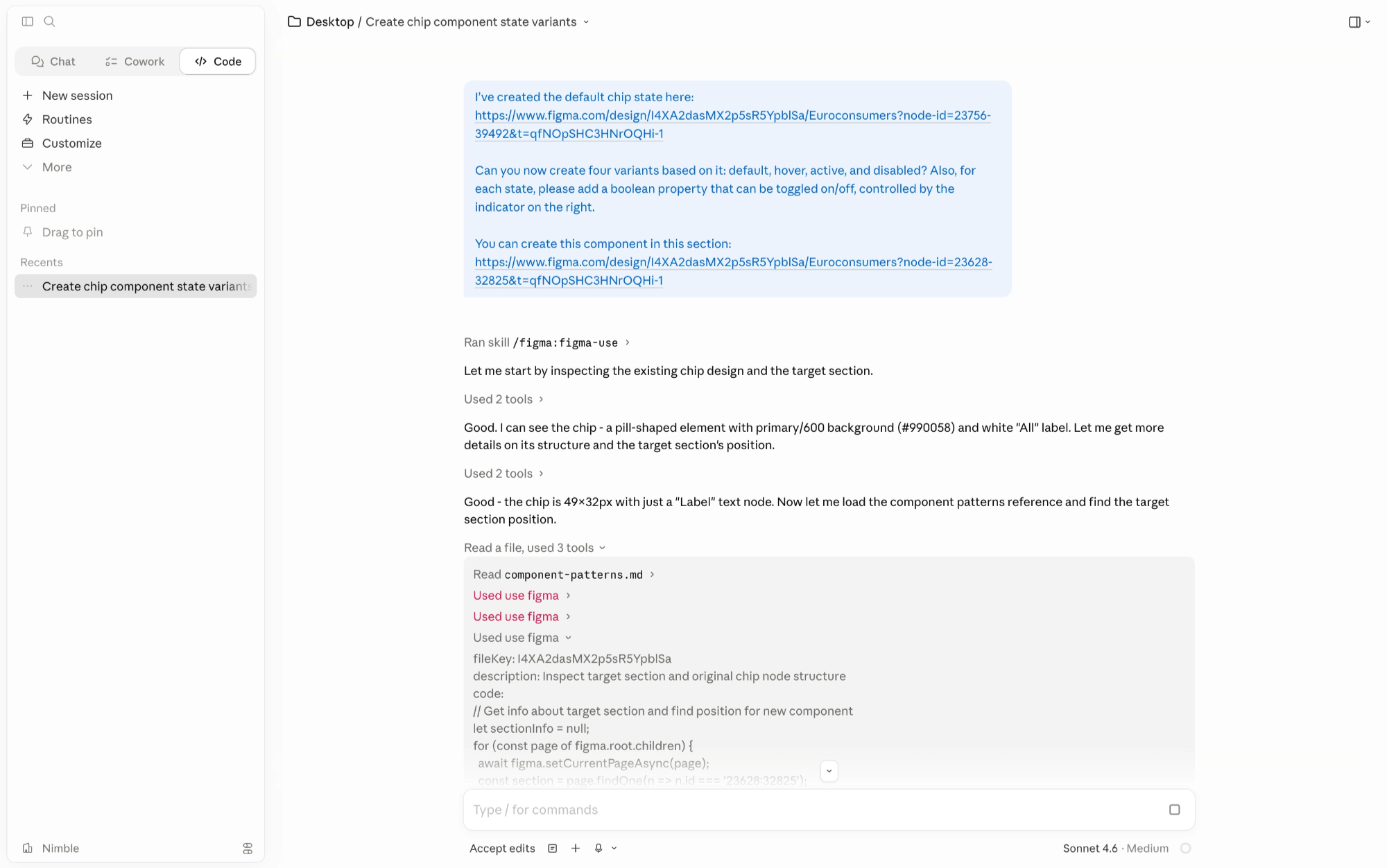
- Lane 1: Figma to Code: Claude Code can read your Figma file directly (tokens, variables, component structure, layout).
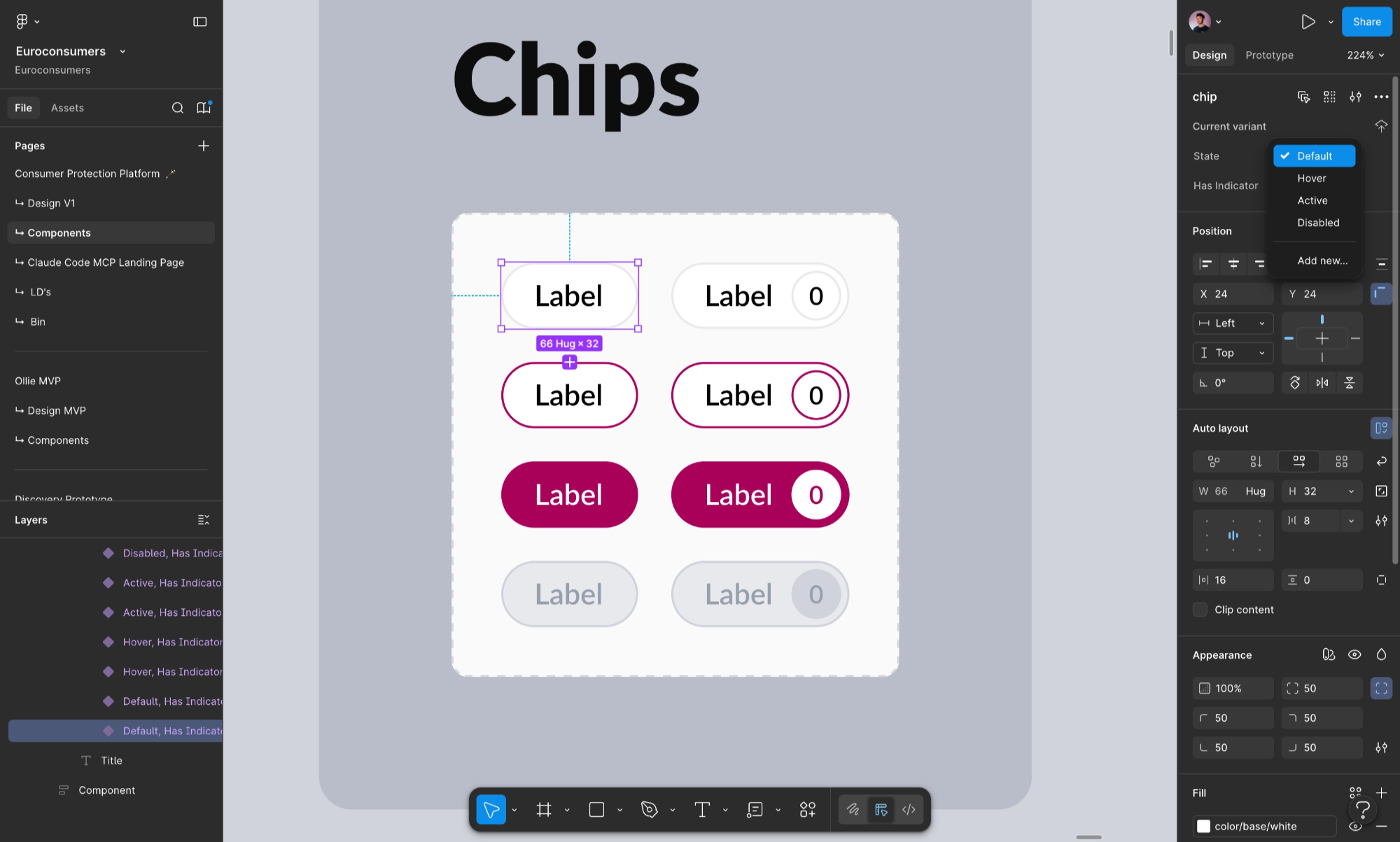
- Lane 2 :Code to Canvas: once your UI runs locally, Claude can capture the rendered browser state and push it back into Figma as editable layers.
When it works, you don’t hand off.
You iterate in a loop.
What it actually took (the 6-step setup that no one writes down)
Here’s the unglamorous truth that saved us a week of “why is this flaky?” debugging:
- Install Claude desktop and get access to Claude Code.
- Install Claude Code via terminal.
- Fix your
PATHifclaudeis not found. - Install the Figma remote MCP plugin.
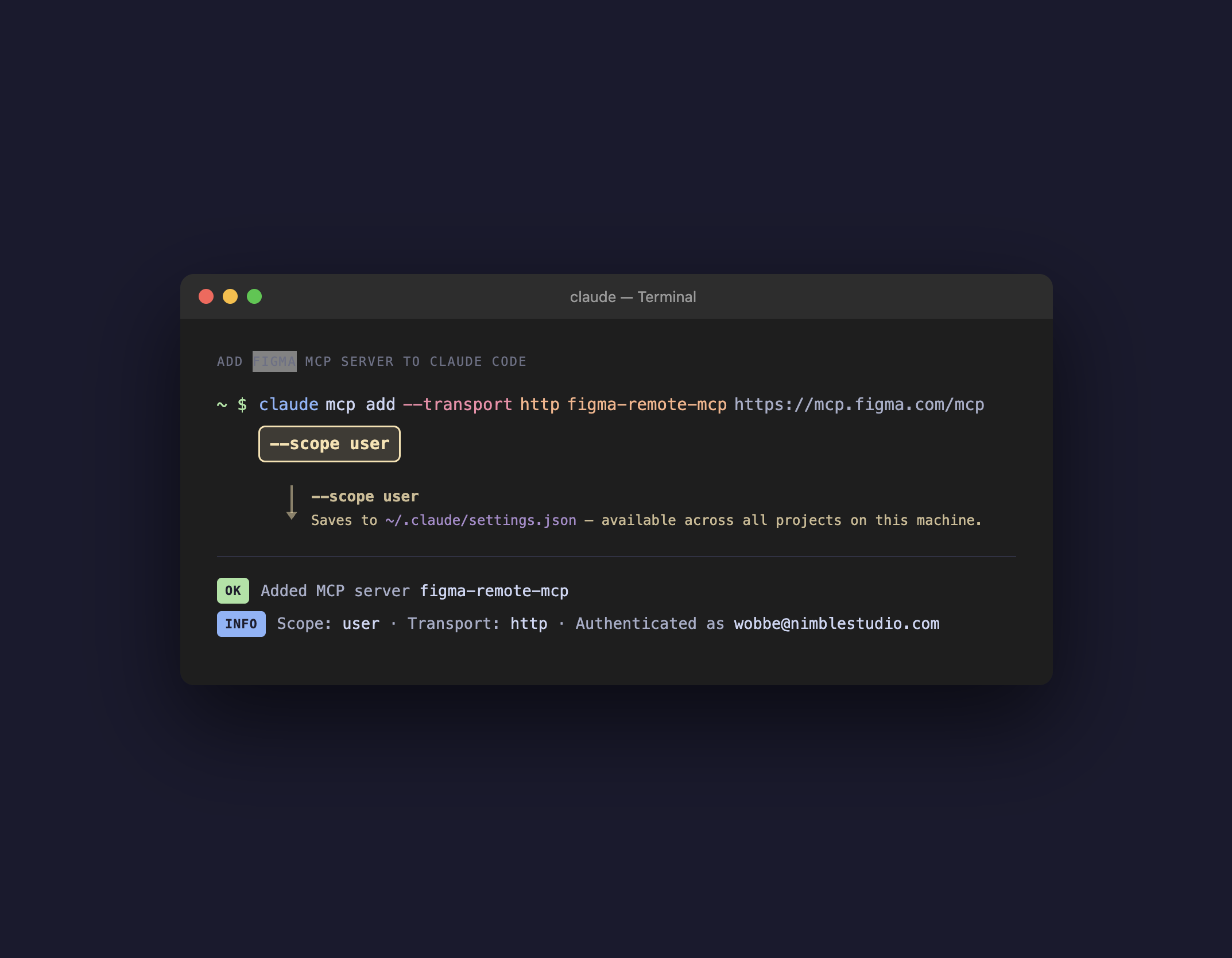
- Add the MCP server with
--scope userso it persists across projects. - Authenticate the plugin from inside Claude Code.
That --scope user flag cost us nearly two hours.
Without it, the connection “worked”… until it didn’t.
The challenges nobody warns you about (and how we worked around them)
1) Annotations can break the read
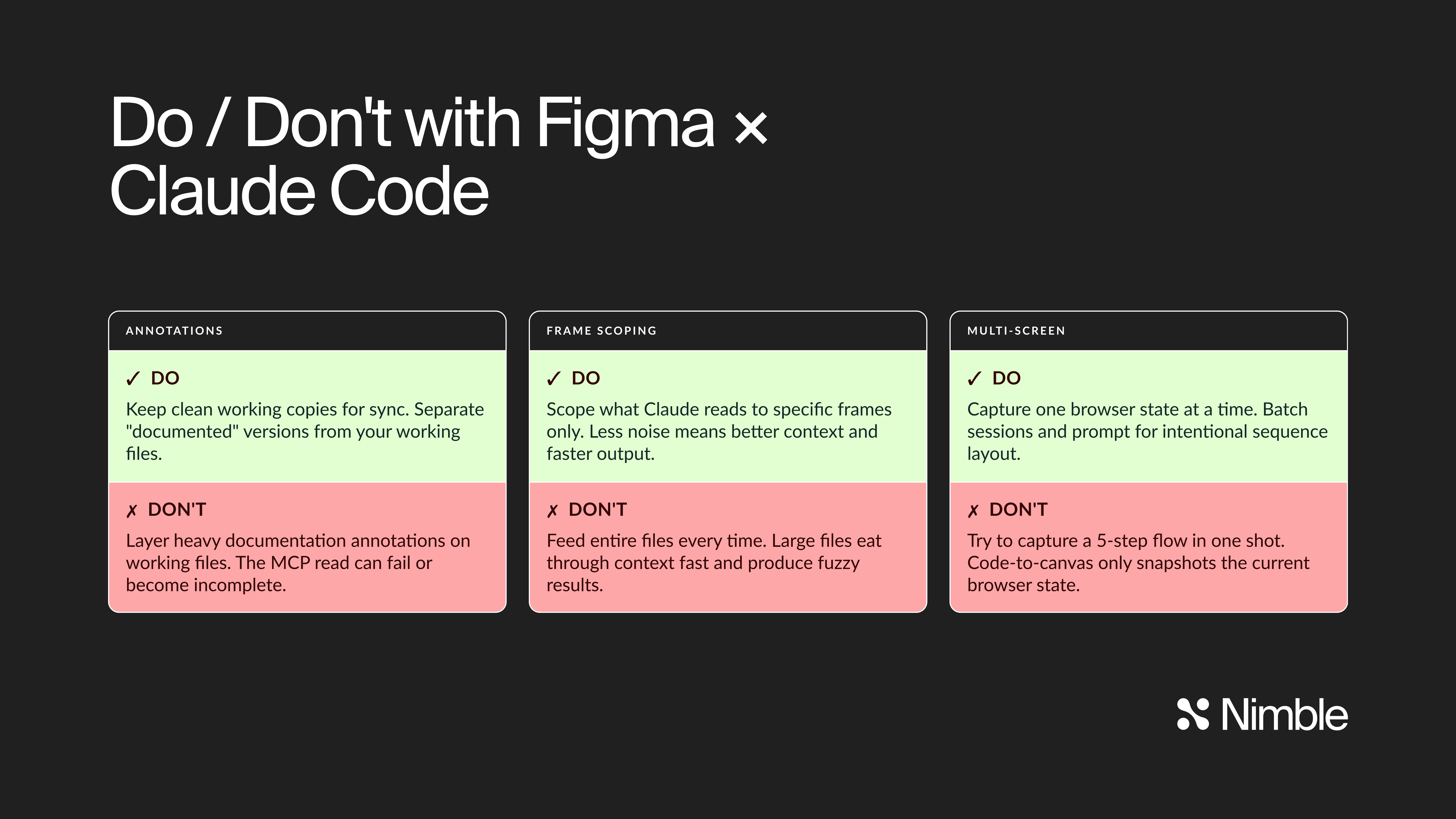
If your Figma file is layered with heavy documentation annotations, the MCP read can fail or become incomplete.
💡 Workaround: keep clean working copies for sync, and separate “documented” versions.
2) Multi-screen flows don’t capture themselves
Code-to-canvas captures a single browser state at a time.
If you want a 5-step flow, you capture 5 times and reassemble intentionally.
💡 Workaround: batch capture sessions and prompt for sequence layout.
3) Incremental updates aren’t surgical (yet)
This loop shines for net-new generation.
For small design tweaks after the build, Claude often wants to regenerate rather than patch.
💡 Workaround: treat generation as a “clean build” step, and timebox changes into chunks.
4) Web-app only
The capture mechanism is DOM → Figma layers.
So it’s brilliant for web apps and… not helpful for native.
5) Token consumption is real
Large files and many screens eat context.
💡 Workaround: scope what Claude reads (specific frames, not entire files).
What changed for us (and why it matters)
In week 1 this felt like a cool trick.
In week 3 it started changing behavior.
- The canvas became shared again. Implemented UI didn’t “leave” Figma.
- Less debate, more proof. Spacing/token arguments disappear when the implemented UI lands back on canvas.
- Design exploration sped up. When a variant is minutes away, you explore edge cases more freely.
- Handoff becomes collaboration. The loop turns the “translation problem” into a conversation.
This is the key shift 👉🏻 design and implementation stop being two artifacts. They become the same artifact, viewed from different angles.
Two real applications: our own site + a healthcare web-app
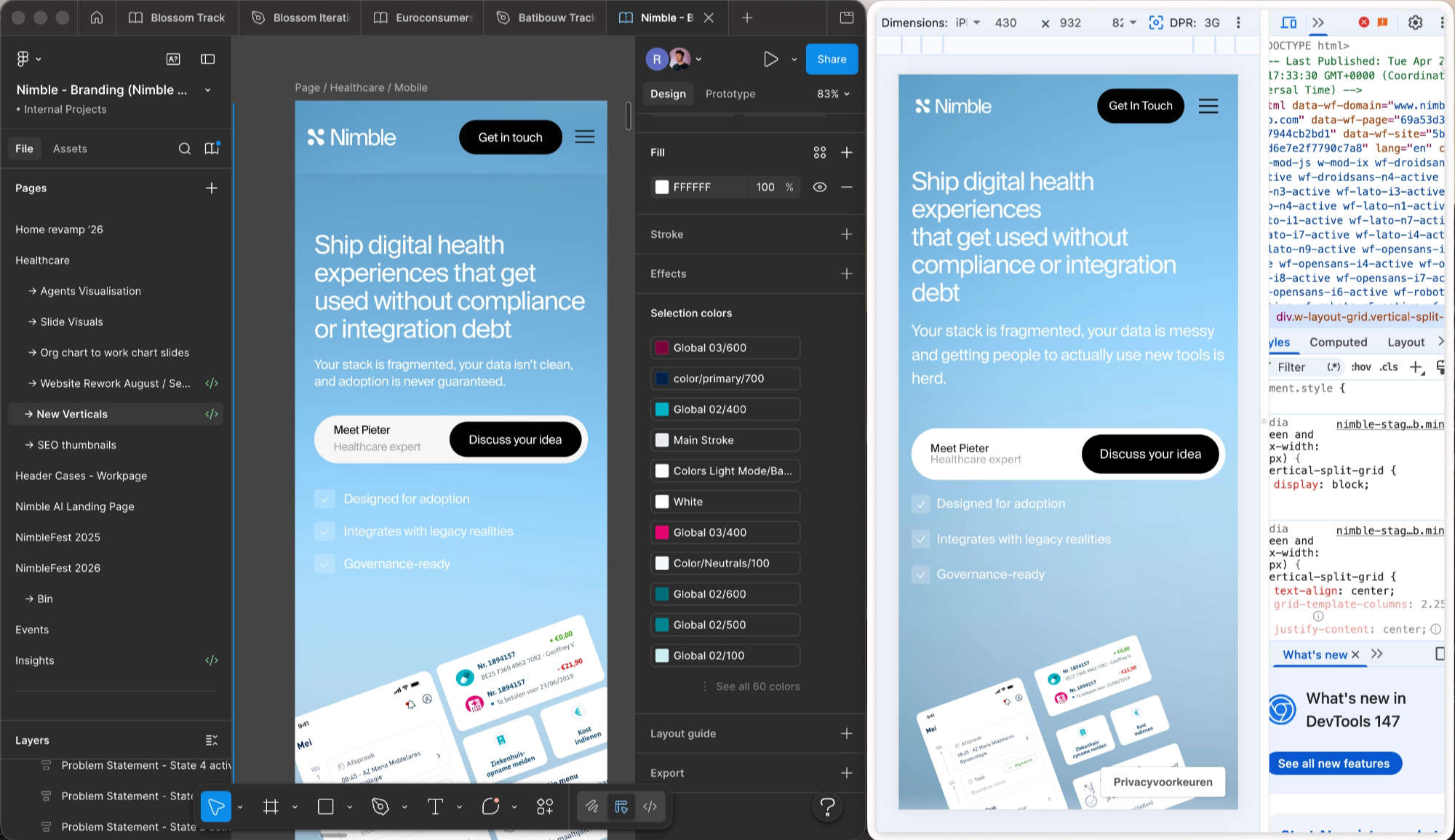
A) Our own brand: high-fidelity vertical pages
We’re applying this loop to our new vertical pages on Nimble’s website.
This isn’t “marketing design” that lives in Figma forever.
It’s production UI with tokens, components, and QA.
Use-case that works insanely well:
- design a section in Figma
- generate it in the codebase with Claude (token-perfect)
- capture the real browser result back to Figma
- iterate with the whole team on canvas
B) A healthcare web-app: workflows, states, and reality
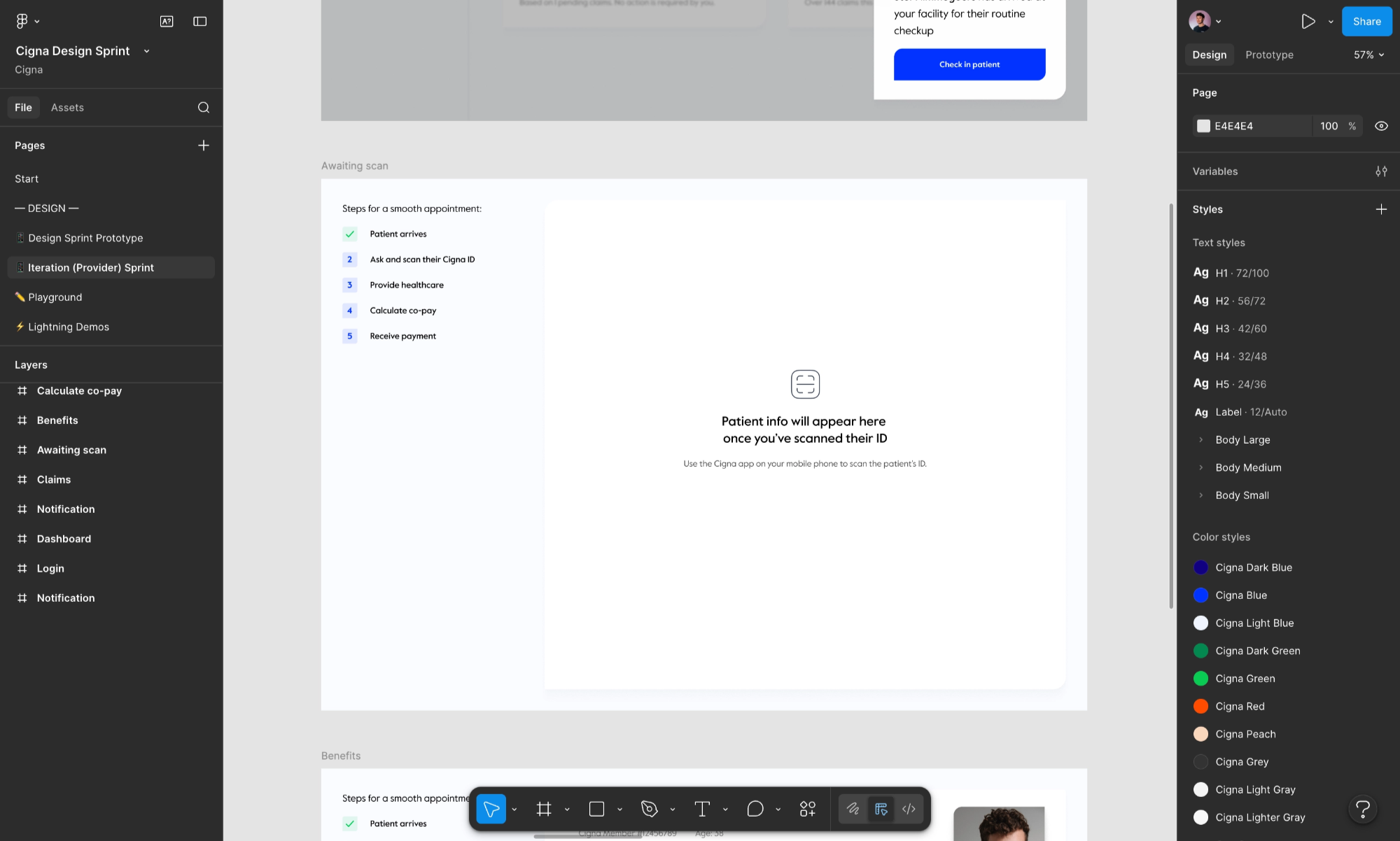
Healthcare UI isn’t about pretty screens.
It’s about:
- permissions
- edge cases
- loading/error states
- auditability
- consistency under change
This loop helps because you can pull the implemented truth back into the canvas and design against the real constraints.
So what: the new workflow we’re standardising
Here’s the loop we’re keeping:
- Canvas-first: design the intent in Figma (tokens + components in mind)
- Generate in repo: use Claude Code with frame URLs + constraints
- Run locally: get the UI real
- Capture back to canvas: editable layers, not screenshots
- Refine on canvas: annotate decisions, variants, sequencing
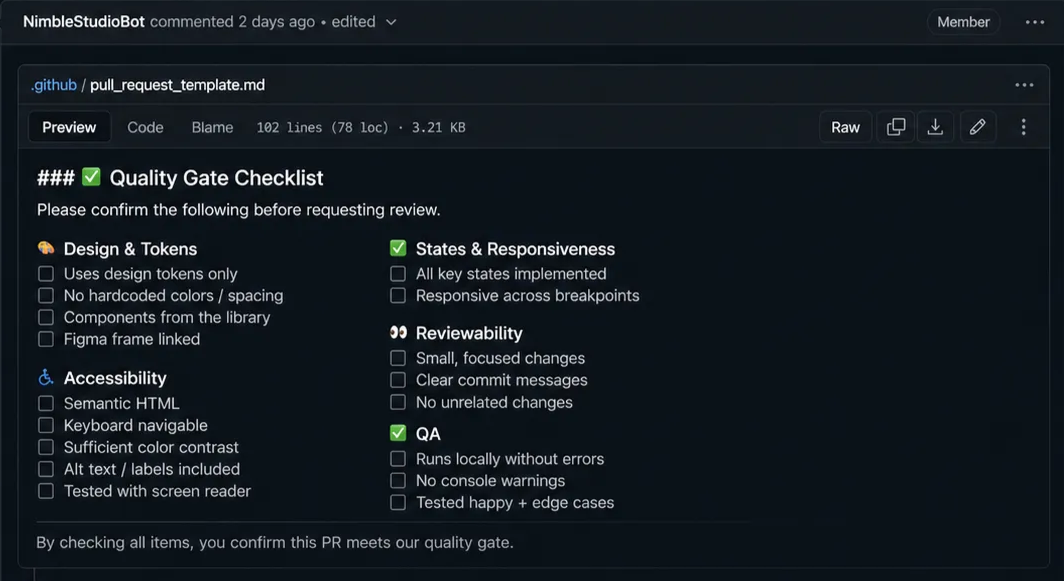
- Ship + QA: review diffs, enforce the quality gate
Closing thought
We’re early.
It’s occasionally infuriating.
And yes, it’s worth it.
Because once the loop closes, you stop doing handoffs.
You start doing momentum.
