This blog was written before the Figma MCP release. We'll create an updated blogpost about this soon!
AI can now generate UI faster than teams can standardise it.
That sounds like a good problem. Until you realise what happens next:
- you get five “finished” screens
- none of them share components
- spacing and colors drift
- accessibility is inconsistent
- engineering looks at it and says: “Nice. We have to rebuild it.”
This blogpost is about avoiding that outcome.
It compares two approaches I see teams using right now:
- V0 / Lovable for rapid UI exploration
- Claude Code for repo-native implementation and refactoring
And it gives you a pragmatic workflow that gets you speed and system integrity.
The new bottleneck: system fidelity
“System fidelity” is a boring phrase for a very real cost.
It means:
- tokens (spacing, typography, colors) instead of random values
- components (Button, Input, Card, Dialog) instead of one-off div soup
- accessibility (semantics, keyboard, focus states, contrast)
- maintainability (clean structure, low coupling, readable diffs)
AI makes it easy to produce a UI that looks correct.
The hard part is making sure it is compatible with the system that needs to ship it.
If you do not manage this, AI doesn’t make you faster.
It makes you faster at generating UI debt.
What we actually mean by “design engineering”
Design engineering sits between product design and software engineering.
It is the craft of translating UI intent into shippable interfaces while keeping the system:
- coherent
- accessible
- maintainable
- easy to iterate
In other words: it is not “making it pretty”.
It is “making it real without making it fragile”.
Two tools, two mental models
V0 / Lovable: generative UI as a sketchpad
These tools excel at turning a prompt into a 'presentable UI' quickly.
Use them when you are still answering:
- What should this screen roughly look like?
- What information hierarchy makes sense?
- Which components might we need?
- Which layout direction is even worth pursuing?
Think of this stage as UI discovery.
The trap is treating the output as production code.
It is usually not.
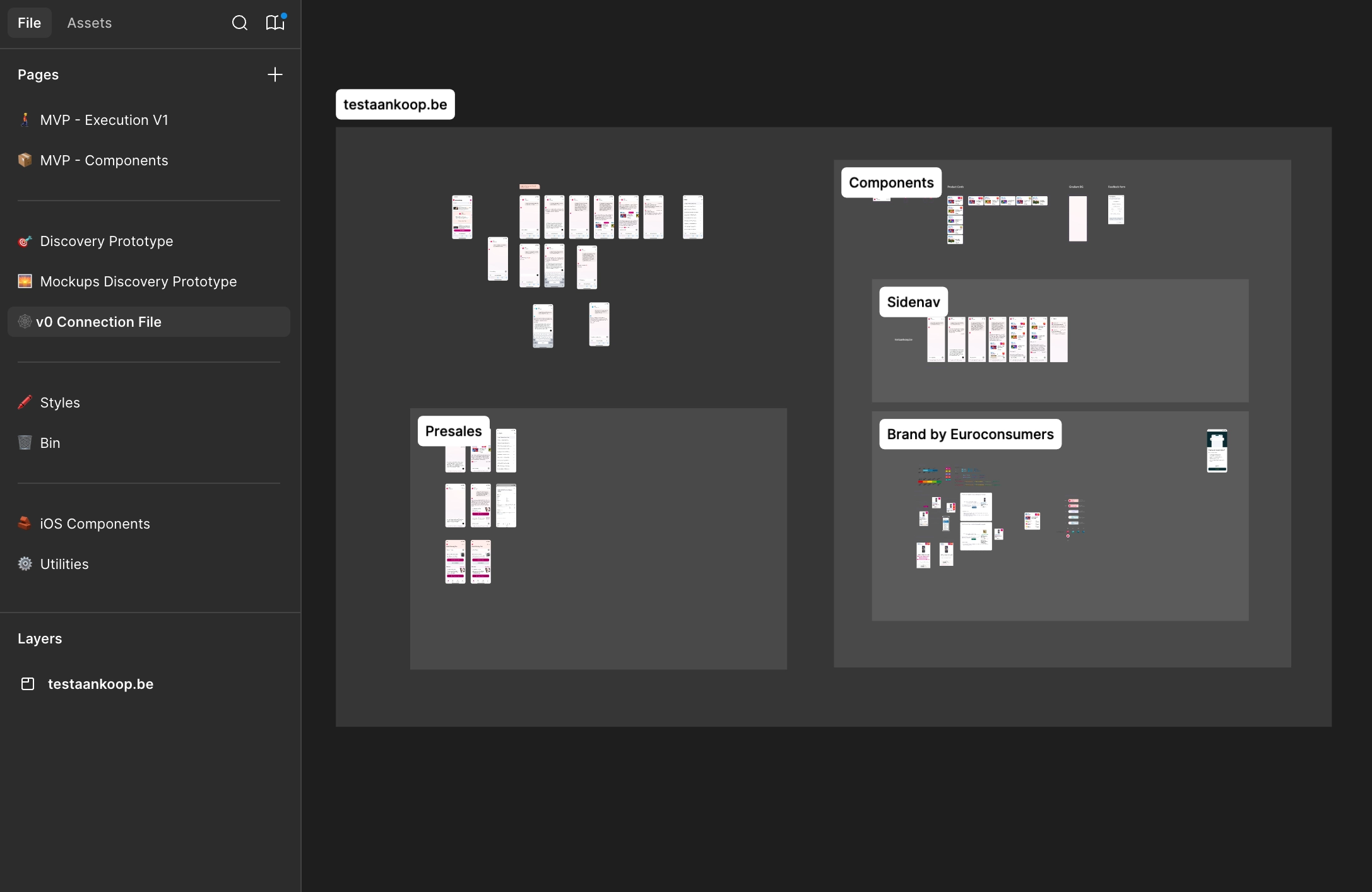
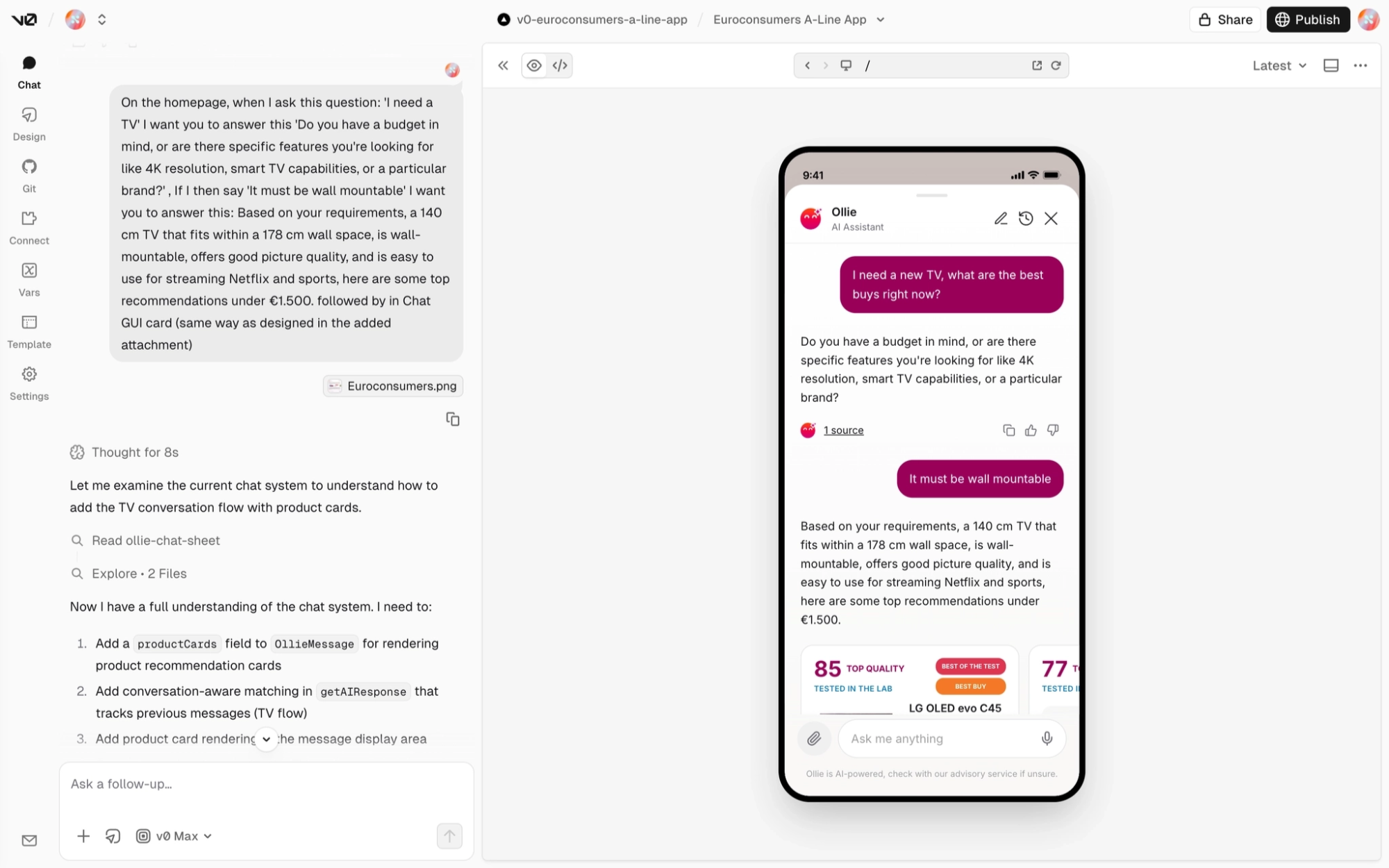
⚠️ An important reality check: that “first believable UI” is often still a long way from a shippable result. Even with a solid Figma file containing the right mobile screens and components, the first generated screen can look rough. In one Euroconsumers prototype, it took roughly 300 iterations to turn the first prompt into a final working version.
Claude Code: agentic coding inside your repo
Claude Code shines when you treat UI as a living codebase, not a one-off artifact.
It is strong at:
- reading existing patterns and reusing them
- refactoring safely
- wiring UI to routes, state, and APIs
- improving code quality over time
Most importantly: it can operate with your constraints.
If you define what “good” looks like, it can help you produce PR-quality changes.
Head-to-head comparison
V0 / Lovable
- Speed to first UI: Excellent
- System fidelity (tokens/components): Medium (prompt-dependent)
- Refactoring + maintainability: Weak to medium
- Accessibility: Medium
- Best for: Exploration + scaffolding
Claude Code
- Speed to first UI: Good (slower start)
- System fidelity (tokens/components): High (repo-aware, pattern-aware)
- Refactoring + maintainability: Strong
- Accessibility: Strong (when explicit criteria are given)
- Best for: Shipping + evolving
The hand-off moment: when speed becomes a liability
A simple rule:
The moment you care about long-term cost, switch tools and switch mindset.
Signals you are there:
- the pattern will be reused across multiple pages
- real data and edge cases must be handled
- you need alignment with an existing component library
- you want reviewable diffs
- you want something that can ship without a rewrite
If you keep generating at this point, you usually accumulate UI debt.
A pragmatic workflow: Generate → Consolidate
Here is the workflow that tends to work in practice.
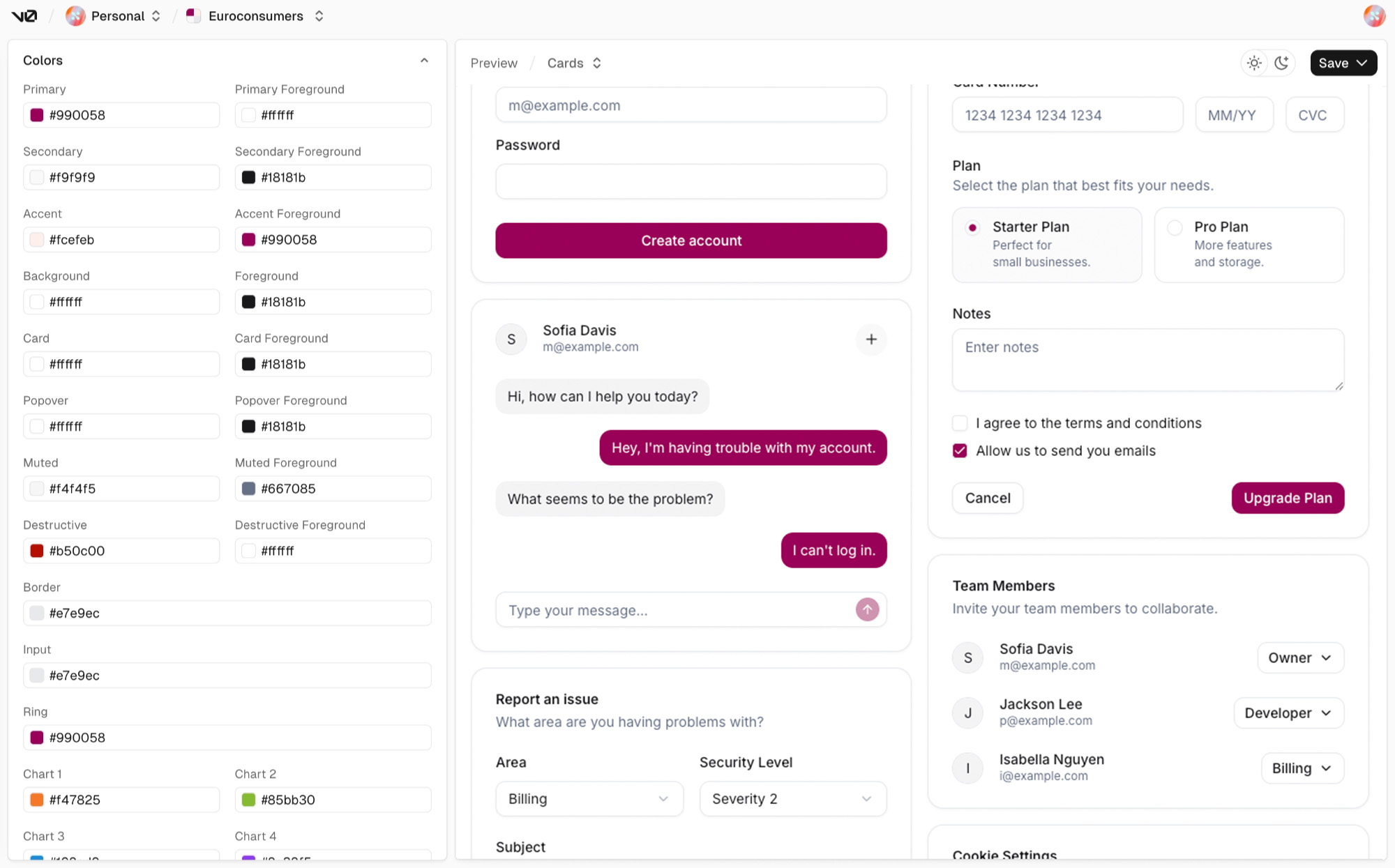
Step 1: Explore with constraints (V0 / Lovable)
Do not prompt for visuals only.
Prompt for system outcomes.
Example prompt pattern:
- “Use existing primitives like Button, Input, Card.”
- “Use design tokens only (no arbitrary spacing/colors).”
- “Show empty, loading, error, and success states.”
- “Keep it accessible: proper labels, focus states, keyboard nav.”
Yes, it will still drift.
But you’ll drift less.
Step 2: Freeze a component plan (10-minute checkpoint)
Before you generate three more screens, stop and write down:
- the page layout structure
- 3–6 reusable components
- token usage rules
This sounds like process.
It is actually a cost-control mechanism.
If you skip it, the tool decides your system for you.
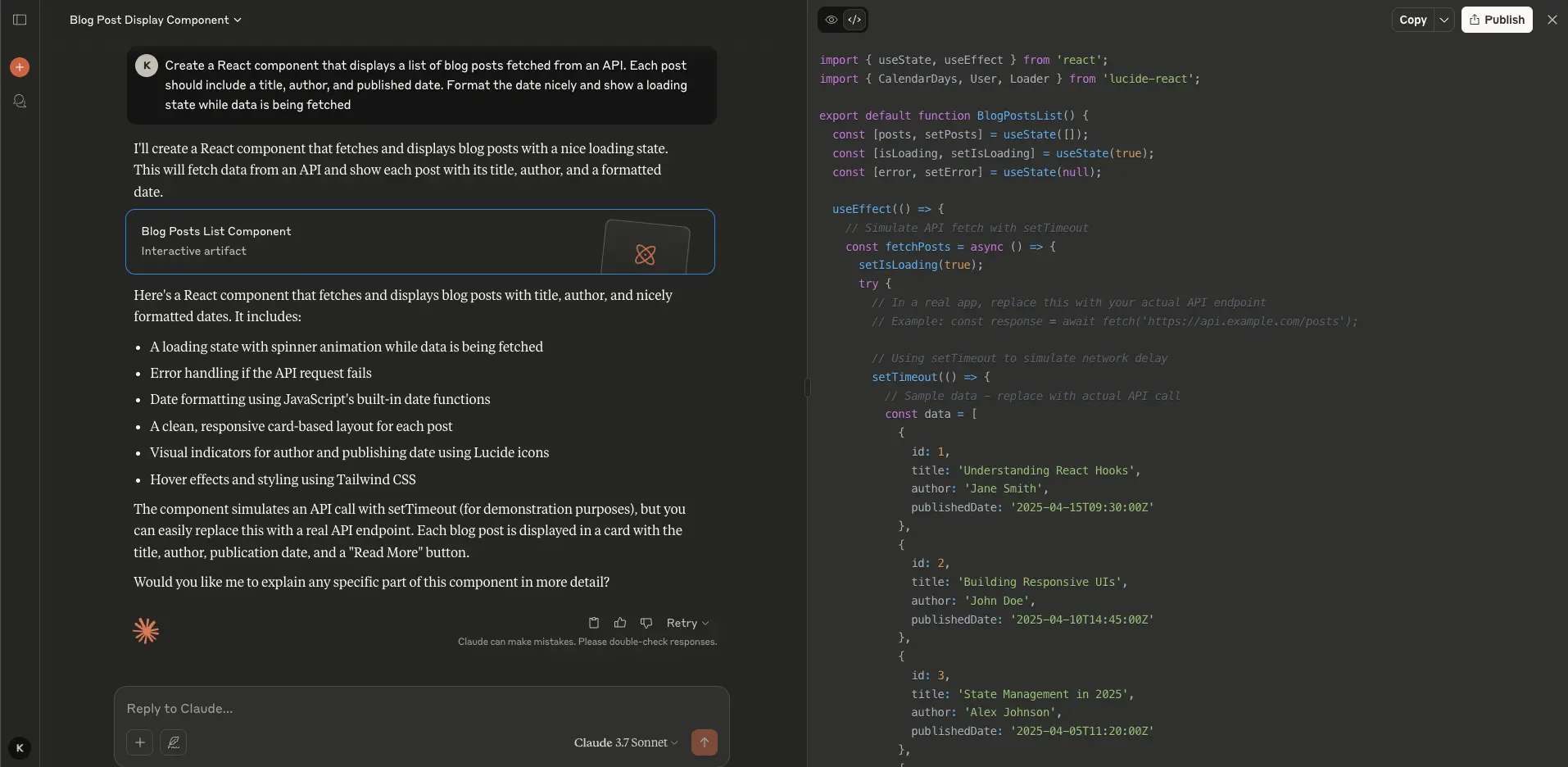
Step 3: Implement in the repo (Claude Code)
Now you switch from “make it look right” to “make it shippable”.
Frame the task as acceptance criteria:
- reuse components from
/components/ui - create a new component only if it will be reused
- ban ad-hoc styling values unless explicitly allowed
- implement keyboard navigation and semantics
- ensure diff is reviewable and small enough to merge
Claude Code is at its best when you give it:
- the relevant files
- a definition of done
- constraints that match how your team reviews PRs
Step 4: Add a quality gate (non-negotiable)
AI-assisted UI fails quietly.
So your quality gate must be explicit.
A practical checklist:
- tokens only
- no one-off components
- all states reachable
- semantics correct
- keyboard works
- diff is reviewable
If you cannot check these, you do not have “prototype speed”.
You have “debt acceleration”.
Two concrete examples
Example 1: Moving fast without creating UI chaos
What typically happens in a product like this:
- you need to test flows with real users quickly
- the UI surface expands fast (dashboards, detail screens, forms)
- small inconsistencies multiply
The pragmatic approach:
- Use Lovable/V0 to explore a screen and validate the information architecture.
- Freeze the component plan.
- Use Claude Code to implement it in the repo using your existing system.
- Add the quality gate before adding “just one more screen”.
Example 2: The “pretty-but-brittle” trap (and how to avoid it)
This is where AI prototypes often go wrong:
- the screen looks polished
- it is built from bespoke elements
- it does not map onto your system
- integration work becomes a rewrite
The fix is not “prompt better”.
The fix is switching mindset at the right time.
A pragmatic flow:
- Generate a compelling first version to align stakeholders.
- Then immediately consolidate into a small set of primitives that you can reuse.
The 21st-dev angle: component marketplaces you can prompt against
There’s a bigger shift under all of this.
In the 20th-century model, “front-end” meant hand-crafting UI from primitives.
In the 21st-dev model, UI becomes assembly.
What we believe:
- marketplaces of production-grade components will become the default starting point
- teams will carry a curated component kit (internal + trusted external)
- you’ll be able to get real leverage with a simple prompt like:
- “Build this screen using the components from our kit. Do not invent new ones.”
This matters because it moves the constraint upstream.
Instead of trying to “prompt the model into good taste”, you constrain the solution space:
- you give it a known set of building blocks
- you get consistency by construction
- you reduce review overhead
Practically, this is also why repo-native tools matter.
A marketplace is only useful if the components are:
- easy to import
- easy to compose
- easy to keep consistent with tokens, a11y, and lint rules

Common failure modes (and how to prevent them)
- Pretty but brittle UI
- Prevent by freezing a component plan and enforcing reuse.
- Token drift
- Prevent by banning ad-hoc values and requiring token mapping.
- Accessibility as an afterthought
- Prevent by making a11y part of acceptance criteria.
- One-off screens that never converge
- Prevent by consolidating patterns early and refactoring aggressively.
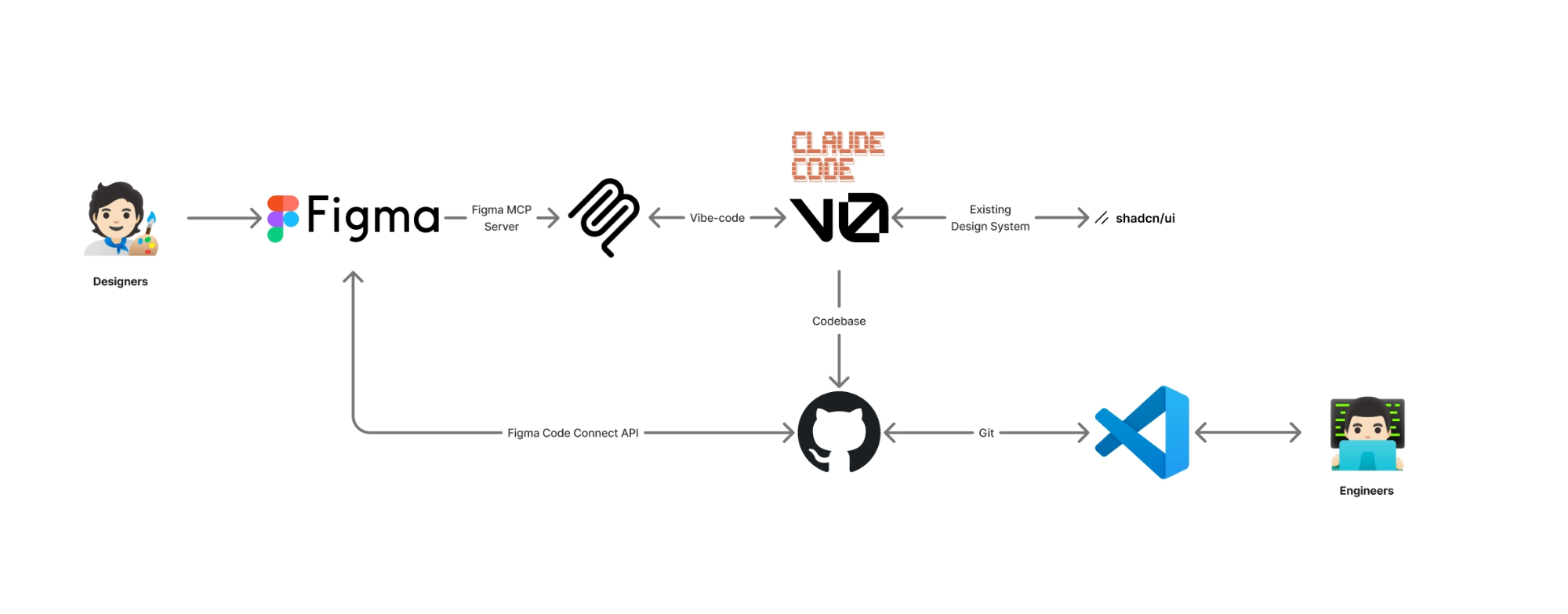
Conclusion
V0 and Lovable are powerful sketchpads.
Claude Code is a workshop.
Teams who win will treat AI as a way to shorten loops without breaking the system.
If you remember one thing:
Generate to explore. Consolidate to ship.
